
How to Download and Set Up Your First Betting App
 Available in US
Unlock the full potential of sports betting with our comprehensive guide to downloading and setting up bet apps. From initial download to first deposit and bonus claims, learn to navigate common hurdles and bet smarter.
Table of Contents
- Why Setup Matters More Than You Think
- Before You Download: Critical Pre-Setup Checklist
- Step-by-Step Download Process
- Account Creation: Navigating the Identity Gauntlet
- Making Your First Deposit
- Claiming Your Welcome Bonus
- Geolocation Setup: The Technical Hurdle
- Navigating the App Interface for the First Time
- Troubleshooting Common Setup Issues
- Final Steps: Completing Your Bet App Setup
Why Setup Matters More Than You Think
The distance between curiosity and your first bet feels deceptively short. Download an app, enter some information, deposit money, place a bet—sounds like a five-minute process, right? In reality, that journey contains more friction points than any betting app wants to advertise. Identity verification that mysteriously fails. Deposit methods that decline for unclear reasons. Geolocation errors that block you from betting in your own living room. Promo codes that don’t apply correctly, costing you hundreds in bonus money.
Most guides treat setup as a formality, glossing over the actual problems you’ll encounter with generic advice like “just follow the prompts.” That’s useless when your driver’s license photo keeps getting rejected, your bank keeps blocking deposits, or your phone can’t verify your location despite standing in the middle of a legal state. This isn’t a theoretical walkthrough written by someone who’s never actually set up a betting app. This is what really happens, including the frustrating parts nobody warns you about.
The good news? Once you clear these initial hurdles, betting becomes genuinely frictionless. Face ID deposits, one-tap repeat bets, instant balance updates—the apps deliver remarkable convenience after setup. But getting to that point requires patience, proper preparation, and knowing what to expect when things inevitably don’t work smoothly. Rushing through setup ten minutes before kickoff guarantees frustration. Taking thirty focused minutes now prevents hours of troubleshooting later.
Understanding the architecture behind what you’re setting up also helps. When the app asks for your Social Security number, that’s not identity theft—it’s federal law requiring age and identity verification for gambling. When geolocation fails repeatedly, that’s not buggy software—it’s sophisticated technology ensuring you’re physically within state borders as required by regulation. The process feels invasive and technical because regulated gambling in 2026 requires both. Accept that reality upfront and you’ll move through setup more smoothly.
Before You Download: Critical Pre-Setup Checklist
Starting the download process without preparation wastes time and creates avoidable problems. Spending five minutes on this checklist now prevents an hour of troubleshooting later.
Verify Your State’s Legal Status
Not all states allow mobile sports betting, and some states that do have restrictions you need to understand. As of 2026, 38 states plus DC have legalized some form of sports betting, but not all permit mobile betting. A few states allow retail sportsbooks at casinos but prohibit betting from your phone. Check your specific state’s status before proceeding—downloading an app in an illegal state means it simply won’t let you register or will block betting functionality after you’ve wasted time setting up.
Even within legal states, nuances matter. New York allows mobile betting but limits which operators can offer apps, meaning your preferred sportsbook might not be available. Some states require physical registration at a casino before you can use the mobile app. Others let you register entirely remotely. Pennsylvania’s complicated licensing means not every major operator is available there. Knowing your state’s specific situation prevents downloading the wrong app or expecting functionality that doesn’t exist in your jurisdiction.
If you live near state borders, geography creates additional complexity. Philadelphia residents near New Jersey might wonder whether they can use New Jersey apps. The answer is yes when physically in New Jersey, no when in Pennsylvania, even if standing fifty feet from the border. The geolocation technology doesn’t care about convenience—it enforces state boundaries strictly. Understanding this now prevents confusion later when the app blocks bets you think should be legal.
Gather Required Documents
Betting apps require identity verification that goes beyond typical app registration. You’ll need your driver’s license or state ID, Social Security number, and proof of address. Having these ready before you start streamlines the process dramatically. Scrambling to find your Social Security card mid-setup breaks your flow and increases the chances of entering information incorrectly.
Your ID must be current and valid—expired licenses trigger automatic verification failures. The name on your ID must match exactly what you enter during registration. If your driver’s license says “Michael” but you register as “Mike,” verification fails. If you’ve moved recently and your ID shows an old address, you may need additional proof of current residence like a utility bill or bank statement dated within 90 days. Having a PDF of a recent utility bill on your phone before starting saves significant hassle.
The Social Security number requirement catches some people off guard. Many apps initially request only the last four digits, but full verification eventually requires all nine. Have your full SSN available even if the app doesn’t immediately ask for it. Some apps also request your date of birth separately from what appears on your ID as a cross-reference check. These seem like redundant questions until you understand they’re fraud prevention measures mandated by regulation.
Choose Your First App Strategically
Starting with multiple apps simultaneously seems efficient but usually backfires. Each app has a slightly different interface, different verification requirements, different deposit methods, and different geolocation quirks. Learning three apps at once means confusing their differences and making more mistakes. Pick one app to master completely before expanding to others for line shopping.
For absolute beginners, FanDuel offers the smoothest onboarding experience. Their interface is intuitive, verification typically processes quickly, and customer support is responsive when problems arise. bet365 is excellent for users who want more sophisticated features and don’t mind a denser information layout. DraftKings provides the widest variety of betting markets but has a more complex interface that can overwhelm first-timers.
Consider what sports you’ll bet on when choosing. If you’re primarily interested in American sports—NFL, NBA, MLB—any major app works fine. If soccer is your focus, bet365 provides dramatically better coverage than ESPN Bet. For UFC and combat sports, DraftKings typically offers more prop markets. Matching the app to your betting interests from the start means you won’t need to switch later after investing time in setup.
Ensure Stable Internet Connection
This sounds obvious but matters more than you’d expect. The download itself requires 150-300MB depending on the app. Verification processes upload photos of your ID and potentially your face for biometric comparison. Payment connections reach out to third-party services. Geolocation pings constantly. All of this works poorly on weak connections.
Download on Wi-Fi rather than cellular unless you have unlimited data and strong signal. Public Wi-Fi at coffee shops seems convenient but creates security concerns for an app that will eventually link to your bank account. Home Wi-Fi is ideal. If you must use cellular, ensure you have full signal strength and aren’t approaching your monthly data cap. Starting a download that stalls at 90% because you hit a data limit wastes time and frustration.
Clear Sufficient Storage Space
Betting apps require 150-300MB initially, but they grow over time as they cache data. If your phone shows low storage warnings, clear space before starting. Apps can download but fail to install properly if insufficient space exists. Worse, the app might install but run poorly, creating problems that seem like bugs but are actually storage constraints.
Check your phone’s available storage before downloading. If you have less than 500MB free, delete some old photos or unused apps first. This becomes more important if you plan to eventually run multiple betting apps—three to five apps means 1-2GB of storage committed to betting. Plan accordingly.
Step-by-Step Download Process
The download mechanics differ slightly between iOS and Android, with enough variation to warrant separate walkthroughs. Both accomplish the same outcome, but knowing the platform-specific quirks prevents confusion.
iOS Download Process (iPhone and iPad)
Open the App Store—the blue icon with the white “A” made of sticks. Tap the search icon at the bottom of the screen and type the full name of the app you want. This specificity matters because most operators have multiple apps. Searching “FanDuel” returns FanDuel Casino, FanDuel Racing, FanDuel Fantasy, and FanDuel Sportsbook. You want specifically the sportsbook app for sports betting.
The correct app will list the developer as the sportsbook’s company name and will explicitly say “Sportsbook” in the title. Check the app’s description to confirm it’s for sports betting rather than casino games or fantasy sports. Once you’ve identified the correct app, tap “Get” then confirm with Face ID, Touch ID, or your Apple ID password.
The download typically takes 30-60 seconds on decent Wi-Fi. You’ll see a progress circle on the app icon on your home screen. Don’t close the App Store or turn off your phone during download—let it complete fully. Once installed, the app icon appears on your home screen and the “Get” button changes to “Open.”
One iOS-specific issue occasionally arises: the app might not appear in search results at all. This happens when your Apple ID’s region is set to a state where betting isn’t legal. Apple restricts gambling apps geographically. If the app you want doesn’t show up in search, check Settings > Your Name > Media & Purchases > View Account > Country/Region. This should match your actual current state. If it doesn’t, you’ll need to change it, though Apple makes this process deliberately annoying to prevent people circumventing regional restrictions.
Android Download Process (Google Play)
Open the Google Play Store—the colorful triangle icon. Tap the search bar at the top and enter the sportsbook’s full name including the word “sportsbook.” Like iOS, operators have multiple apps and you need the specific sportsbook version.
Google Play’s interface shows the app’s name, developer, rating, and download count. Verify you’re selecting the official app by checking that the developer name matches the company and that the app has hundreds of thousands or millions of downloads. Fake or copycat apps occasionally slip through Play Store vetting, particularly for popular sportsbooks. The official FanDuel Sportsbook app, for example, should show “FanDuel” as the developer and have millions of downloads with a 4.6+ star rating.
Tap “Install” and the download begins. Android shows a progress bar in your notification shade. Most apps complete in under a minute on Wi-Fi. Once installed, you can tap “Open” directly from the Play Store or find the app icon in your app drawer.
Some states or specific sportsbooks require downloading directly from the operator’s website rather than through Google Play. This isn’t common anymore—most major operators are in the Play Store—but if you can’t find an app you know operates in your state, visit the sportsbook’s website in your mobile browser. They’ll have a direct download link if Play Store distribution isn’t available for regulatory reasons. These direct downloads are called APK files. Android will warn you about installing apps from unknown sources. You’ll need to grant temporary permission in Settings > Security > Install Unknown Apps, select your browser, and enable “Allow from this source.” Only do this for official sportsbook websites, never random sites offering betting apps.
Post-Download: First Open
After installation completes, don’t immediately open the app if you’re about to do something else. The first-time setup requires 15-30 minutes of focused attention. Wait until you have time to complete the process without interruptions. Starting registration then abandoning it midway sometimes creates problems when you return—some apps timeout your session and force you to restart.
When you do open the app for the first time, you’ll see a welcome screen showcasing the current promotional offer. This screen usually has two buttons: “Sign Up” for new users and “Log In” for existing accounts. Tap “Sign Up” to begin registration. Some apps immediately ask if you want to enable notifications. Consider saying yes—these notifications include important information like deposit confirmations, withdrawal processing, and bet settlements. You can always disable them later if they become annoying.
Account Creation: Navigating the Identity Gauntlet
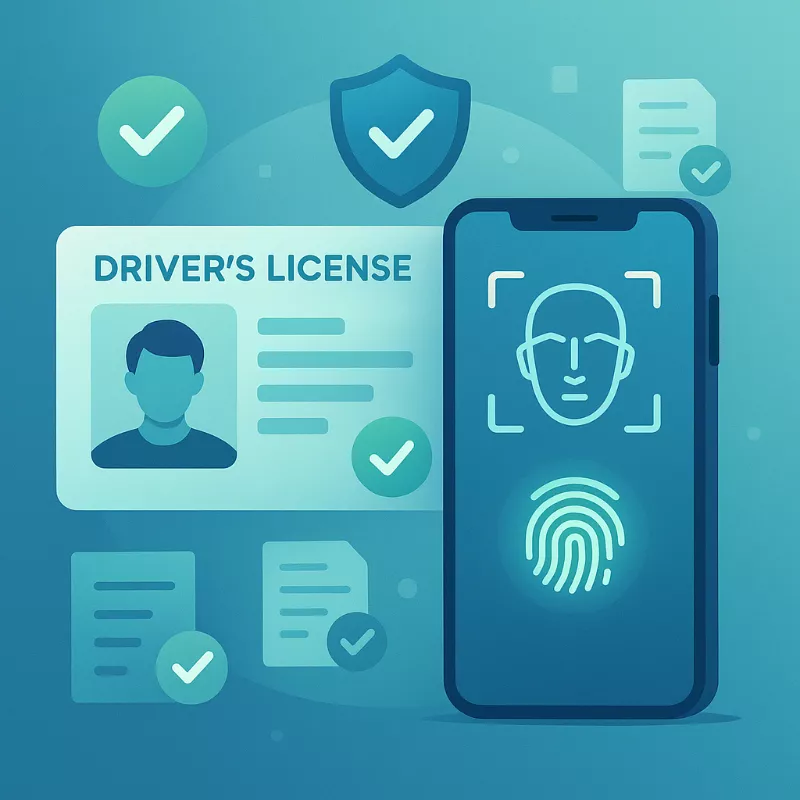
This is where most setup problems occur. Betting apps require more personal information and verification than typical apps because they’re regulated financial services. Understanding what’s required and why helps you navigate the process smoothly.
Basic Information Entry
The registration form asks for seemingly endless details. Full legal first and last names—use exactly what appears on your ID. “Michael Smith” if your license says Michael Smith, not “Mike Smith” or “M. Smith.” Middle initials are typically optional but including them helps if you have a common name. Email address should be one you check regularly—the app sends verification codes, bonus notifications, and important account information here.
Phone number receives SMS verification codes and two-factor authentication messages. Use a number you control and can access during registration. Date of birth verifies you’re 21+ (or 18+ in states that allow younger gambling). Enter this accurately—mismatching your birthdate between the app and your ID triggers verification failures.
Social Security number is required for identity verification and tax reporting. Most apps initially ask for only the last four digits, but full verification eventually requires all nine. The hesitation people feel giving their SSN to a betting app is understandable but misplaced—licensed operators are heavily regulated, required to protect your data with encryption, and subject to regular audits. Your SSN is safer with FanDuel than with half the online retailers you’ve used.
Residential address must be your actual physical address, not a mailing address or work address. Include apartment numbers if applicable. The app uses this to determine which state you’re registering in, which affects which games and odds you see. It also cross-references this address against credit bureau records and public databases to verify your identity. Entering a friend’s address in a different state or a fake address fails verification immediately.
Common Registration Mistakes
Typos cause surprising numbers of verification failures. Transposing digits in your SSN, misspelling your street name, selecting the wrong birth year in a dropdown menu—these seem like obvious errors until you make them while rushing through registration. Double-check every field before submitting. The app can’t distinguish between a typo and fraudulent information, so it treats both as verification failures requiring manual review.
Using nicknames or alternate names creates problems. If your legal name is “Robert” but everyone calls you “Bob,” register as Robert. The app will reject “Bob” when it compares against your driver’s license showing “Robert.” Same issue with maiden names versus married names—use whatever your current legal ID shows.
Choosing weak passwords is tempting because you’re tired of password requirements, but betting apps contain financial information and need strong security. The app typically requires minimum length (usually 8-12 characters), at least one uppercase letter, one number, and one special character. Use a password manager to generate and store a strong unique password rather than reusing your standard password from other sites. Account compromises happen regularly, and reused passwords are the primary vector.
Identity Verification Process
After submitting basic information, the app immediately requests identity verification. This involves photographing your driver’s license or state ID. The app guides you through this with on-screen prompts. You’ll need to position your ID flat against a contrasting background—a dark desk works well for light-colored IDs. Ensure good lighting without harsh shadows or glare.
The app captures both front and back of your ID. Hold your phone steady and ensure all four corners of the ID are visible in frame. The automated system uses optical character recognition to read the text and facial recognition to compare your ID photo against a selfie you’ll take next. Blurry photos fail verification automatically, forcing you to retake them.
After photographing your ID, the app typically requests a live selfie. This isn’t vanity—it’s facial recognition comparing your real-time face to your ID photo to confirm you’re the same person. Look directly at the camera, ensure good lighting on your face, remove sunglasses or hats, and follow any prompts about turning your head or blinking. The system is looking for liveness indicators that prove you’re a real person, not someone holding up a photo of the ID holder.
Most verifications approve instantly—you see a confirmation screen within seconds. Some require manual review by a human operator, which takes 24-48 hours. Manual review triggers for various reasons: unclear photos, security flags in their fraud prevention algorithms, names that are flagged for additional scrutiny, or mismatches between the information you entered and what appears on your ID. If you hit manual review, there’s nothing to do but wait. Contacting customer support won’t speed it up—they submit requests to the verification team but can’t override the process.
Proof of Address Requirements
Some apps require additional proof of address beyond your ID, particularly if your ID shows a different address than what you registered with. Acceptable documents include utility bills, bank statements, credit card statements, or government correspondence. These must show your full name and current address and be dated within the past 90 days.
The easiest solution is having a recent utility bill PDF on your phone before starting setup. If verification requests proof of address, you can upload it immediately rather than tracking down documents later. Take a clear photo or screenshot of the document showing your name, address, and date. The app uploads this for review, which usually processes within a few hours but can take up to 48 hours if flagged for manual verification.
Making Your First Deposit
You’ve passed identity verification, your account is approved, and now you need to fund it to start betting. Deposits sound straightforward until your card declines for mysterious reasons or your PayPal connection fails. Understanding the payment ecosystem helps you troubleshoot.
Available Deposit Methods
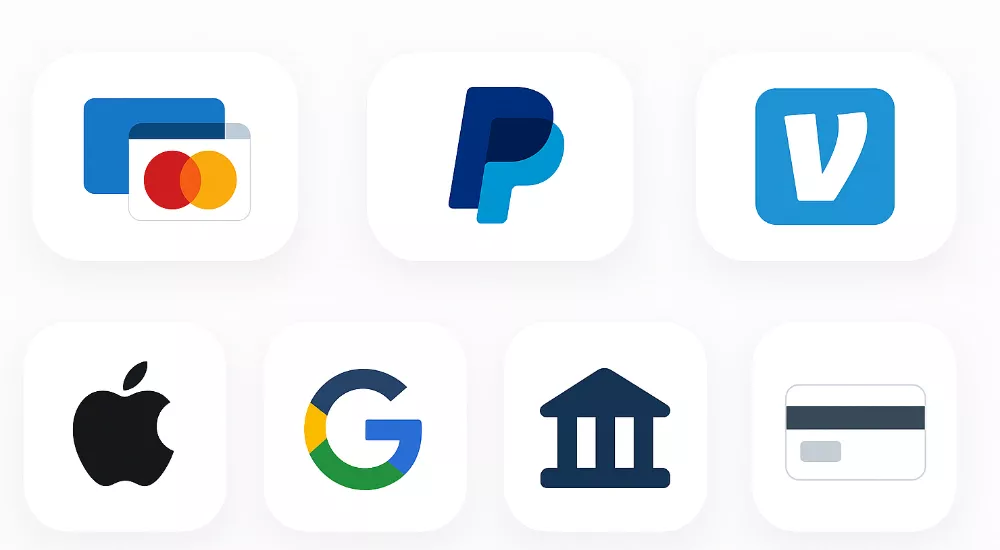
Major betting apps accept debit cards (Visa, Mastercard), credit cards (increasingly restricted), PayPal, Venmo, Apple Pay, Google Pay, bank transfers (ACH), and prepaid cards like Play+. Each method has tradeoffs in speed, reliability, and convenience. Debit cards are most common but many banks automatically decline gambling transactions as fraud prevention. You enter your card number, expiration date, CVV code, and billing address that matches the card exactly.
Credit cards are problematic because many card issuers treat gambling deposits as cash advances, which carry fees and higher interest rates. Some simply block gambling transactions entirely. Even if your credit card works initially, it might stop working suddenly if your issuer changes policies. Debit cards are generally more reliable than credit cards for betting deposits.
PayPal offers better reliability than cards for many users. Select PayPal as your deposit method, enter the amount, tap deposit, and you’re redirected to PayPal’s login screen. Authenticate with your PayPal password or biometrics, approve the transaction, and return to the app with funds available instantly. PayPal occasionally flags large gambling deposits for review, temporarily holding the transaction, but this is less common than card declines.
Venmo works similarly to PayPal—authenticate the transaction in the Venmo app and funds appear instantly. Apple Pay and Google Pay are fastest for users with these set up—biometric confirmation and done. The Play+ prepaid card system some apps use requires creating an additional account for a reloadable card, funding that card from your bank, then depositing from the card to your betting app. It’s extra steps but works when cards decline repeatedly.
Minimum Deposit Amounts and Strategy
Most apps require $10 or $20 minimum deposits. Check the specific minimum before deciding how much to deposit initially. If you only want to bet $5 to test the experience, you’re forced to deposit more than intended. The apps know this psychological trick—once money sits in your account, you’re more likely to bet it all.
Match your first deposit to your welcome bonus requirements if you’re claiming a promotional offer. Many “Bet $5, Get $200” offers require a minimum deposit of $10 or $20 even though the qualifying bet is only $5. Depositing $10 when the bonus requires $20 means you miss the bonus and need to deposit again. Read the specific bonus terms before choosing your deposit amount.
Troubleshooting Deposit Failures
Card declines are the most common deposit problem. You enter your information correctly, tap deposit, and see an error message saying the transaction failed. This happens because your bank’s fraud prevention system automatically blocks gambling transactions. Banks can’t distinguish between legitimate betting apps and illegal gambling sites, so many block all gambling-related charges by default.
The fix is calling your bank’s customer service number and explicitly requesting they approve gambling transactions. Tell them you’re trying to deposit to a licensed sportsbook and need the transaction allowed. Some banks refuse categorically—they simply won’t allow gambling charges on their cards. If your bank refuses, you need to use a different deposit method like PayPal or a different bank’s card.
Another common issue is mismatched billing addresses. The address you enter must match exactly what your bank has on file for that card. If you moved recently and forgot to update your address with your bank, the charge declines. Check your card’s billing address and enter it precisely as your bank records it, including abbreviations—if your bank uses “St.” don’t spell out “Street.”
PayPal connection failures usually stem from browser cache issues or account linking problems. If PayPal isn’t connecting properly, try force-closing the app completely and reopening it. On iPhone, swipe up from the bottom and swipe away the app’s preview. On Android, open recent apps and swipe the app away. Reopen and attempt the deposit again. If problems persist, try PayPal’s website directly instead of their app for the authentication step.
Deposit Processing Times
Most deposit methods credit your account instantly. You complete the transaction and your balance updates within seconds. Bank transfers are the exception—ACH deposits can take one to three business days to process. If you need to bet immediately, avoid bank transfers for your first deposit.
Some apps show deposits as “pending” briefly during processing even for instant methods. This usually resolves within minutes. If a deposit shows pending for more than an hour, contact customer support. Have your transaction ID or confirmation number ready from your bank or payment app.
Claiming Your Welcome Bonus

Welcome bonuses sound simple in advertisements but become complicated when you read the actual terms. Understanding how these offers really work prevents accidentally forfeiting hundreds of dollars in bonus value.
Understanding “Bet $5, Get $200” Mechanics
The standard welcome offer structure gives you bonus bets after making a qualifying first bet. “Bet $5, Get $200” means you place a bet of at least $5 on any market, and the app gives you $200 in bonus bets regardless of whether your first bet wins or loses. Some apps require your first bet to win before issuing bonus bets—read the specific terms for your app and state.
The bonus bets arrive in your account within 72 hours, usually faster. These aren’t cash—they’re credits that must be used to place bets. Bonus bets typically expire in seven days, though some apps give fourteen. If you don’t use them before expiration, they disappear. The most important thing to understand: when you win a bet placed with bonus bets, you receive the profit but not the original bonus bet stake. Bet $50 in bonus bets on +100 odds and win, you get $50 profit, not $100 total. The $50 bonus bet itself isn’t returned.
Promo Code Entry and Opt-In Requirements
Some bonuses apply automatically when you register or make your first deposit. Others require entering a specific promo code during registration. The promo code field is usually on the registration form, sometimes on a separate “Promotions” screen before finalizing your account. Promo codes are case-sensitive—”WELCOME200″ works but “welcome200” might not. Triple-check spelling.
Certain bonuses require manual opt-in after registration. You create your account, then must navigate to the “Promotions” or “My Offers” section and click a button to activate the welcome bonus before making your qualifying bet. Missing this step means making your first bet without the bonus attached, forfeiting the offer. Always check the promotions section immediately after creating your account to see if action is required.
Playthrough and Rollover Requirements
Most welcome bonuses have simple requirements—bet the bonus bets once at any odds. Some apps have more complex playthrough requirements, particularly for casino-style bonuses or certain promotional offers. A 1x playthrough means you must wager the bonus amount once before withdrawing any winnings. A 5x playthrough means wagering five times the bonus amount.
The specific terms also dictate eligible bet types. Some bonuses restrict you to straight bets, prohibiting parlays. Others require minimum odds”you might need to bet at -200 or longer, preventing you from betting heavy favorites. Violating these terms voids the bonus and any associated winnings. Thoroughly reading the complete terms for your specific offer is boring but necessary.
Make sure your device is protected by reading about mobile betting security in 2025.
Avoiding Common Bonus Mistakes
The most expensive mistake is forgetting to opt-in before your qualifying bet. The app won’t remind you—it assumes you either don’t want the bonus or you’ll figure it out yourself. Check the promotions tab immediately after registration every single time. The second costliest mistake is letting bonus bets expire unused. You claim a $200 bonus, life gets busy, seven days pass, and the bonus disappears. Set a phone reminder when you receive bonus bets to use them before expiration.
Betting your entire bonus on one huge longshot seems appealing—hit it and you win big. But most bonuses limit your maximum bet size or maximum payout from bonus bets. Check these limits before planning strategy. Some apps cap bonus bet payouts at $1,000 or $2,000 even if your bet would theoretically win more.
Geolocation Setup: The Technical Hurdle
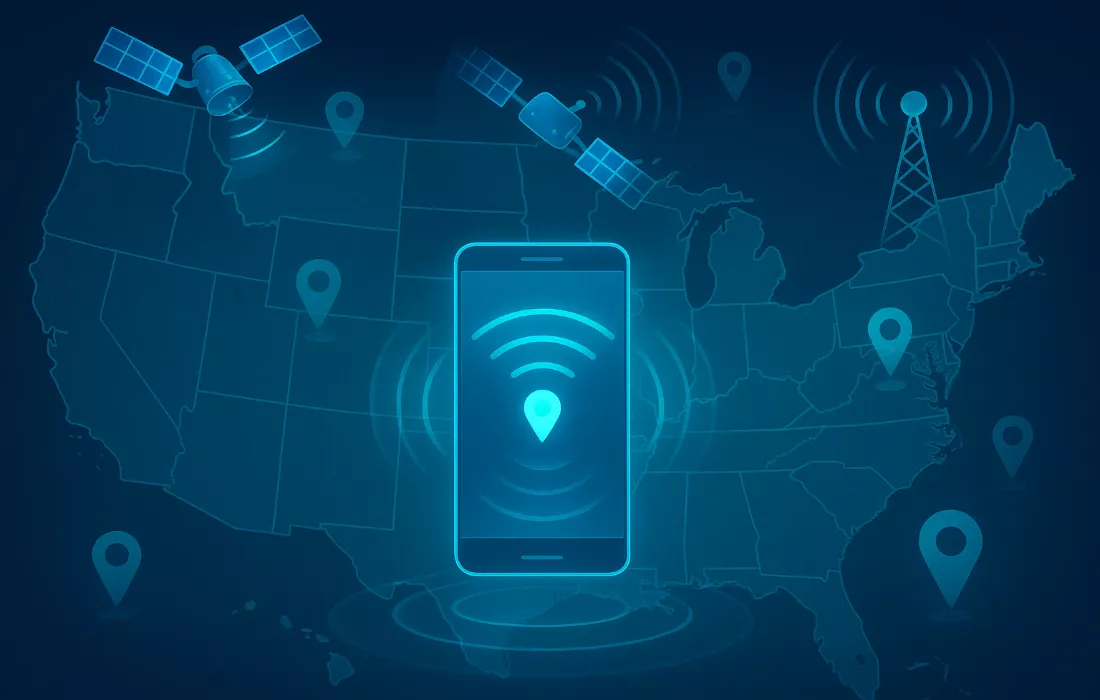
Geolocation causes more setup frustration than any other element. Understanding why it exists and how it works helps you troubleshoot when it inevitably fails at an inconvenient moment.
How Geolocation Verification Works
Every time you place a bet—not just during login or registration, but every single bet—the app must verify you’re physically located within state boundaries. This is federal and state law for legal sports betting. The apps use GPS satellites, Wi-Fi network positioning, cellular tower triangulation, and IP address to triangulate your location. All these data points are cross-referenced to determine which state you’re in with high confidence.
This technology is remarkably accurate but not perfect. GPS requires clear line of sight to satellites, which doesn’t exist indoors. Wi-Fi positioning relies on Google’s or Apple’s databases of Wi-Fi router locations, which can be outdated if you recently moved your router. Cellular towers provide general location but aren’t precise enough alone. The system combines multiple signals to overcome individual weaknesses.
Granting Location Permissions
The app requests location access during first setup. On iOS, you’ll see a popup asking “Allow ‘FanDuel Sportsbook’ to access your location?” with options for Never, While Using the App, or Always Allow. Choose “Always Allow.” The app needs background location access to verify your position even when you’re not actively looking at the screen. Choosing “While Using the App” creates problems—you might place a bet, switch to another app briefly, and the bet fails because location access was revoked when the app went to background.
Android has similar permission requests. When the app asks for location access, choose “Allow all the time” rather than “Allow only while using the app.” You can verify and adjust these permissions later in phone settings. On iOS: Settings > [App Name] > Location > Always. On Android: Settings > Apps > [App Name] > Permissions > Location > Allow all the time.
Privacy-conscious users dislike granting “always allow” location access to any app. The tradeoff is that without it, betting apps simply don’t work. The apps technically could function with “while using” permissions, but regulatory requirements demand constant verification. You can disable location access for the betting app when not using it if you’re particularly concerned, then re-enable before betting, but this becomes tedious quickly.
Common Geolocation Errors and Fixes
“Unable to verify location” is the most common error message. This appears when the app can’t confidently determine which state you’re in. The most frequent cause is VPN usage—if you have a VPN enabled for privacy or security, disable it completely before betting. VPNs route your traffic through servers in different locations, which confuses geolocation fatally. Betting apps and VPNs are incompatible. Turn off the VPN, restart the betting app, and try again.
Weak GPS signals cause verification failures, particularly indoors. If you’re deep inside a building with no windows, GPS might not penetrate. The fix is moving near a window or stepping outside briefly. Once the app successfully verifies your location, you can usually move back inside and continue betting for a while before it rechecks.
Living very close to state borders creates persistent problems. If you’re in Philadelphia near the New Jersey border, your GPS signal might bounce between states as satellites lose and reacquire signal. The app sees inconsistent location data and blocks betting to avoid regulatory violations. Unfortunately, there’s no perfect fix if you live in a border area—you may need to position yourself slightly farther from the border or ensure you have strong GPS lock before attempting to bet.
Airports and large venues that span state lines or sit directly on borders are particularly problematic. Some airports have sections in different states. The app detects location ambiguity and refuses to process bets. Wait until you’re clearly in one state or the other, away from boundary areas.
Traveling and Cross-State Betting
Your betting account works across all legal states. Create a FanDuel account in Colorado, travel to New Jersey, and you can bet in New Jersey using the same account. The app automatically detects your location and switches to New Jersey markets and odds. You’re not moving accounts between states—your single account adapts to wherever you’re physically located.
You cannot bet in State A while physically in State B, even if both are legal. The location check happens per bet, not per session. If you’re in Pennsylvania, you access Pennsylvania markets only. Drive to New Jersey, and the app switches to New Jersey markets. Crossing the border doesn’t lock you into one state—the app follows you around legal states seamlessly.
Traveling to illegal states disables betting functionality but doesn’t close your account. Travel from Illinois to Texas, and you can still open the app, view your betting history, check your balance, and request withdrawals. You just can’t place new bets until you return to a legal state. The app doesn’t penalize you for traveling—it simply enforces location restrictions as required by law.
Navigating the App Interface for the First Time
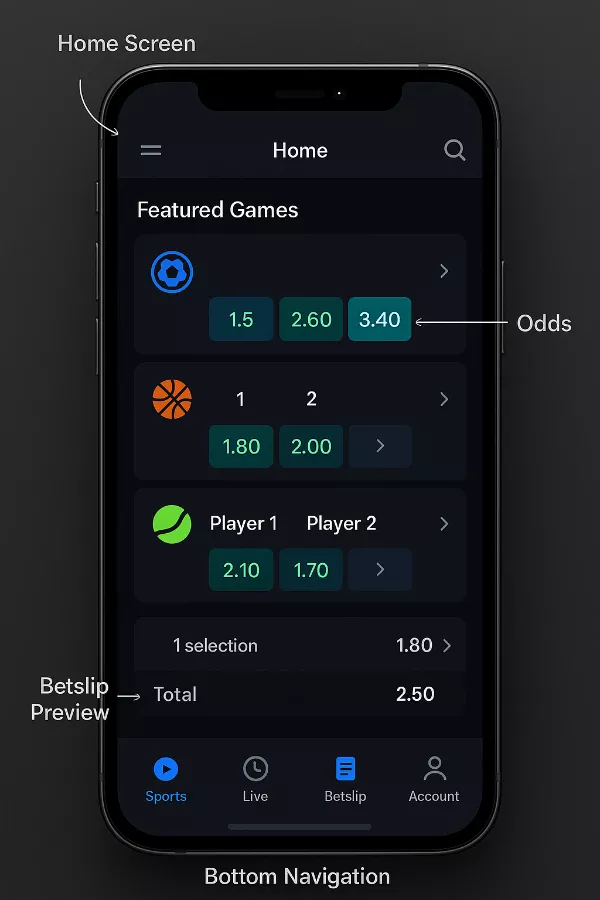
You’re verified, funded, and location-checked. Now you need to actually use this interface to place a bet. Apps share similar structures but each has quirks worth understanding.
Home Screen Orientation
The home screen greets you with featured games, promotional offers, and navigation options. Featured games are typically major upcoming events—Sunday’s NFL games, tonight’s NBA matchups, weekend UFC fights. The app prioritizes these because they generate the most betting volume, not necessarily because they’re the best bets.
Navigation lives in a menu bar, usually at the bottom on mobile. Look for icons labeled Sports, Live, Betslip, and Account. The Sports section organizes betting markets by league and sport. Live shows in-progress games with live betting options. Betslip displays your pending and placed bets. Account contains your balance, transaction history, and settings.
The apps deliberately feature heavily-promoted bets—same-game parlays, boosted odds, insurance offers. These aren’t randomly chosen. They’re bets where the house edge is higher or where the promotions have terms that benefit the sportsbook long-term. Being aware that the app’s recommendations serve the app’s interests, not yours, helps you bet strategically rather than following prompts.
Finding and Placing Your First Bet
For your first bet, choose something simple—a moneyline bet on a game happening soon. Tap the Sports icon, select a sport like NFL or NBA, browse upcoming games, and tap a game to see betting options. The moneyline shows which team is favored and the odds. Tap the odds for the team you think will win, and it adds to your betslip.
Open your betslip by tapping the Betslip icon or the popup that appeared when you selected your bet. You’ll see your selection listed with the odds. Enter your wager amount in the stake field. The app calculates and displays your potential payout. Double-check everything—the team you selected, the odds, your wager amount. Then tap “Place Bet” to confirm.
After placing your bet, it appears in your betslip under “Pending Bets” or “Open Bets.” You can track it throughout the game. When the game ends, the bet settles automatically—wins credit your account immediately, losses deduct nothing since you already paid when placing the bet. Your balance updates and the bet moves from pending to settled in your history.
Understanding Your Account Balance Display
Your account shows multiple balance categories that confuse beginners. Cash Balance is your withdrawable money—deposits and winnings. Bonus Balance or Bonus Bets shows non-withdrawable promotional credits. Some apps display these separately, others combine them with visual distinction.
When placing bets, the app usually uses cash first, then bonus funds. You can sometimes toggle which balance to use, particularly if you have bonus bets with specific requirements. Check your betslip carefully to see which balance is being deducted. Using bonus bets by accident when you meant to use cash, or vice versa, creates frustration.
Troubleshooting Common Setup Issues
Even following this guide perfectly, problems sometimes arise. Knowing how to diagnose and fix common issues saves you from abandoning the process out of frustration.
Account Verification Rejected or Delayed
If your identity verification fails, the app usually provides minimal explanation—just that verification couldn’t be completed. Common causes include blurry ID photos, expired IDs, name mismatches between your registration and ID, or address discrepancies. Contact customer support through the app’s help section. They can review your verification attempt and tell you specifically what needs to be corrected.
Manual review delays are normal—up to 48 hours is standard. If verification is pending beyond two days, contact support for a status update. Provide any requested documentation promptly. Sometimes they need additional proof of address or clearer ID photos. Respond quickly to these requests to avoid further delays.
Deposit Methods Continuously Failing
Card declines that persist after contacting your bank suggest the issue is with the card itself, not the bank’s policies. Try a different card from a different bank. Some banks simply don’t allow gambling transactions regardless of what they tell you. PayPal or Venmo become better options if cards consistently fail.
If PayPal connection fails repeatedly, log into PayPal’s website separately and check whether the betting app appears in your authorized apps list under Settings > Payments > Manage automatic payments. Sometimes the connection authorization fails silently. Manually authorizing the connection through PayPal’s interface often fixes the issue.
Geolocation Refusing to Verify Despite Proper Setup
Persistent geolocation failures despite correct permissions and no VPN usually indicate phone-level GPS issues. On iPhone, try Settings > Privacy > Location Services > System Services > Status Bar Icon—enable this to see when location is being accessed. If the icon doesn’t appear when you open the betting app, iOS isn’t properly sharing location. Toggle Location Services off then back on to reset the system.
Android users should check Settings > Location > Location Services > Google Location Accuracy and ensure it’s enabled. This uses Wi-Fi and cellular data alongside GPS for better positioning. Disable battery optimization for the betting app specifically—aggressive battery management can kill background location processes. Settings > Apps > [App Name] > Battery > Unrestricted.
Bonus Not Appearing After Qualifying Bet
If you made your qualifying bet and bonus funds haven’t appeared, first check the timing. Most apps specify “within 72 hours” for bonus credit. Wait the full timeframe before assuming something went wrong. Check the My Offers or Promotions section—sometimes bonuses appear there requiring manual claiming rather than automatic credit.
If the timeframe has passed and no bonus appeared, contact customer support immediately with details: when you registered, your qualifying bet details, and which promotion you opted into. Support can usually manually credit legitimate bonuses if there was a technical issue. Have screenshots of the promotional terms you relied on—apps sometimes change offers and support needs proof of what you saw.
App Crashing on Launch or During Use
Force close the app completely and restart your phone. This fixes surprising numbers of app problems. If crashing persists, check the app store for updates—you might be running an outdated version with known bugs. Delete and reinstall the app as a last resort. Your account information lives on the sportsbook’s servers, not your phone, so reinstalling doesn’t affect your account, balance, or betting history.
Final Steps: Completing Your Bet App Setup
You’ve navigated identity verification, funded your account, claimed your bonus, and learned the interface. Setup is complete. The app is now demystified—not some complicated financial instrument, just a streamlined interface between you and the sportsbook’s odds.
Next steps: make that first small bet, ideally on a game you’re watching, to experience the full cycle from wager to settlement. Don’t chase losses if it doesn’t hit. Set a weekly budget before your second session. Consider downloading one more app to start line shopping once you’re comfortable with the mechanics.
The ecosystem you’ve entered is designed to be as frictionless as possible going forward. Face ID deposits, one-tap repeat bets, push notifications for game start reminders—it all accelerates from here. That’s the beauty and the danger of mobile betting apps. You’ve cleared the only significant barrier between impulse and action. Use that power wisely.
Discover more exclusive offers on our sports betting hub.
